This case study explores designing a no-code automation solution for an utmost flexible platform with tens of interconnected features and data attributes. Most importantly, it had to work for the users who are not quite technical.
Context
"Today I had to do exactly same thing with different tasks 8 times"
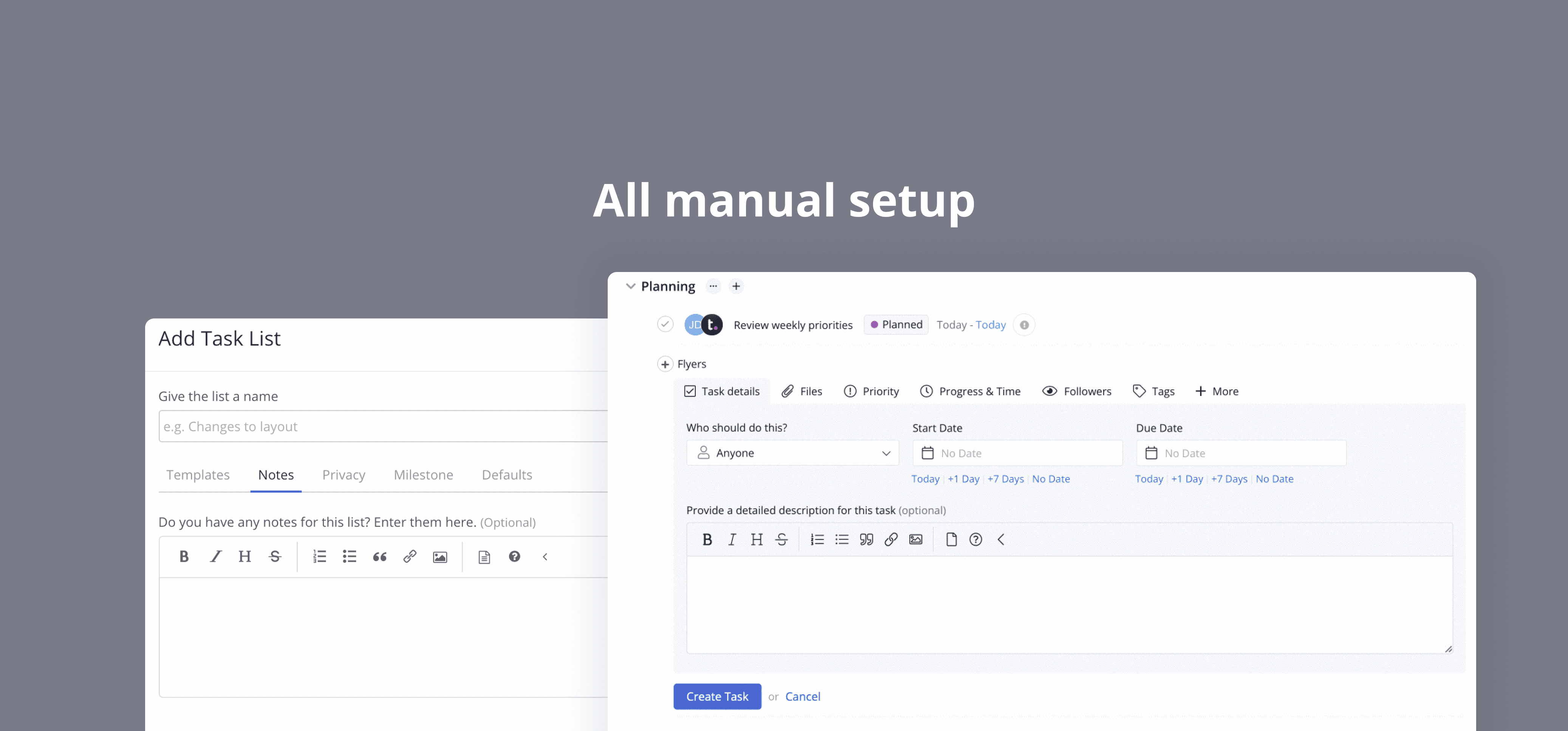
Many desk professionals waste time on manual tasks (e.g., tagging managers on blocked tasks, adjusting categories depending on the state of a ticket). As told by users of Teamwork, they would even abandon us for platforms that can handle it.
Good news is that workflow automations allow you to setup chains of events and let the systems take care of it. Arguably, it doesn't sound like a big deal anymore: we have seen the rise of apps like n8n, Jotform and AI agents. But that was back in 2021 when workflow automations just started to shine.
What You'll Learn
This case study explores designing a no-code automation solution for utmost flexible platform with tens of interconnected features and data attributes. Most importantly, for users who are not quite technical.
My Role
As UX researcher and designer, I identified functional jobs to solve, led usability testing and full cycle design to deliver the final solution. I collaborated with our visual designer to leverage branding and with engineering team.
Goals
Reverse churn due to lack of Automations by offering low-entry-bareer solution for teams that heavily rely on standarazied processes. KPIs: Number of automations per workspace, Number of automations in teams with more than 5 users.
Contribution
My role was research and product design: I facilitated usability testing, design reviews, setup research framework and identified JTBD and experience needs. I delivered the final solution in collaboration with one of our visual designers since we needed to leverage our branding.
Outcomes
Automations saw a significant uptake and adoption rate. To reach a wider audience, we identified the need for further customer education in the domain.
Trigger/Problem
Problem
We started seeing increased customer feature requests for automations from existing users. On the other hand, users on trial periods explicitly called out lack of automations comparing to our comepetitors.
Main challenges
Defining Triggers & Actions: We researched user tasks for automation to offer relevant options (via data tracking of existing events)
Simplifying Complexity: How can we make automations appear simple and follow the best no-code principles?
Educating Users: We addressed varying user familiarity with the concept through educational resources and feature onboarding.
Have a look at our promo video to understand what Automations can do.
Solution
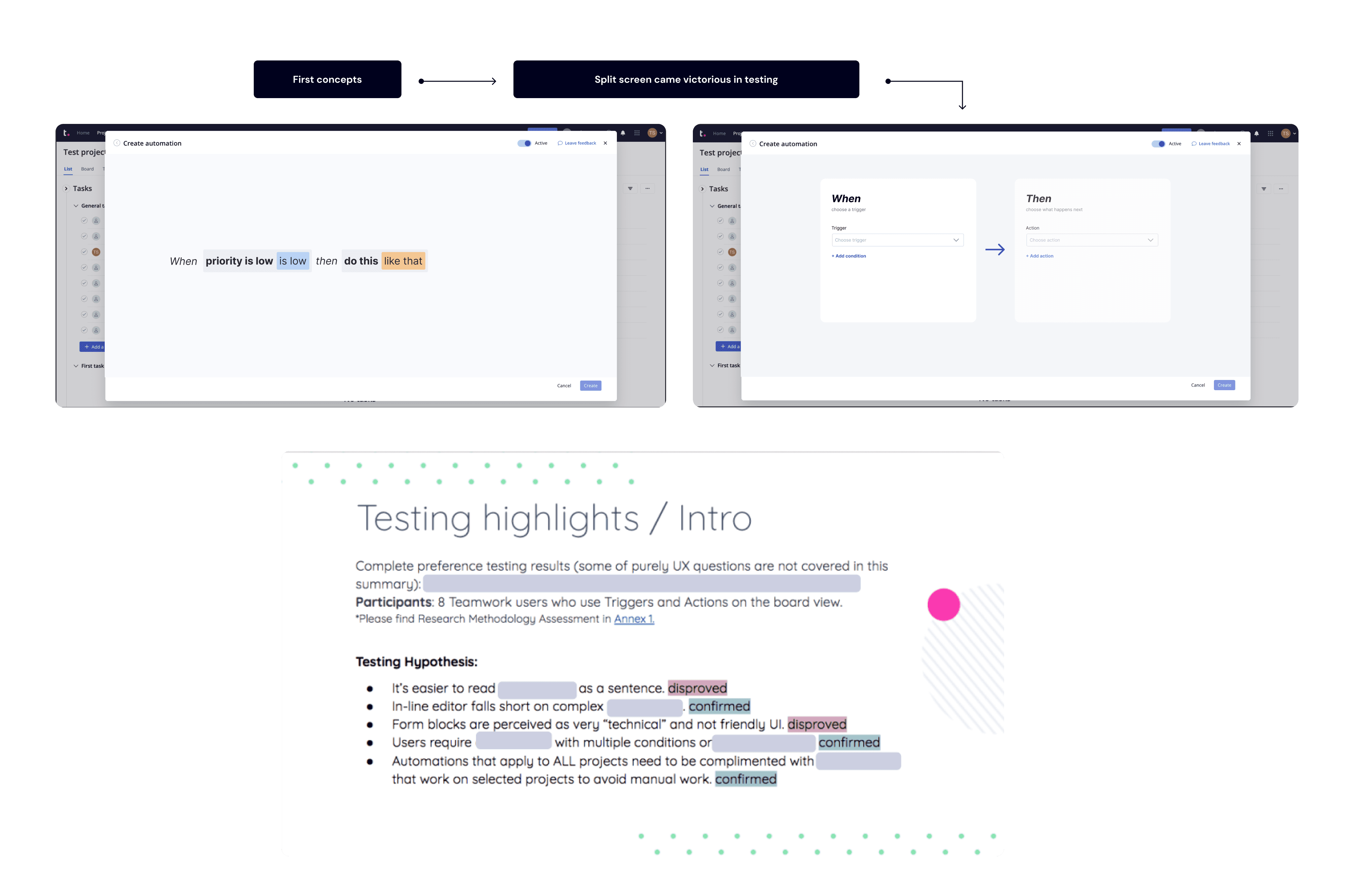
One of the key challenges was to understand the benefits and tradeoffs of two types of automation editors:
Sentence approach: At that time one of the prominent apps with a sentence-like automation editor was Monday.com. Essentially a user would type an automation they need using cues When and Then.
Hypothesis: It feels natural to users to write a sentence
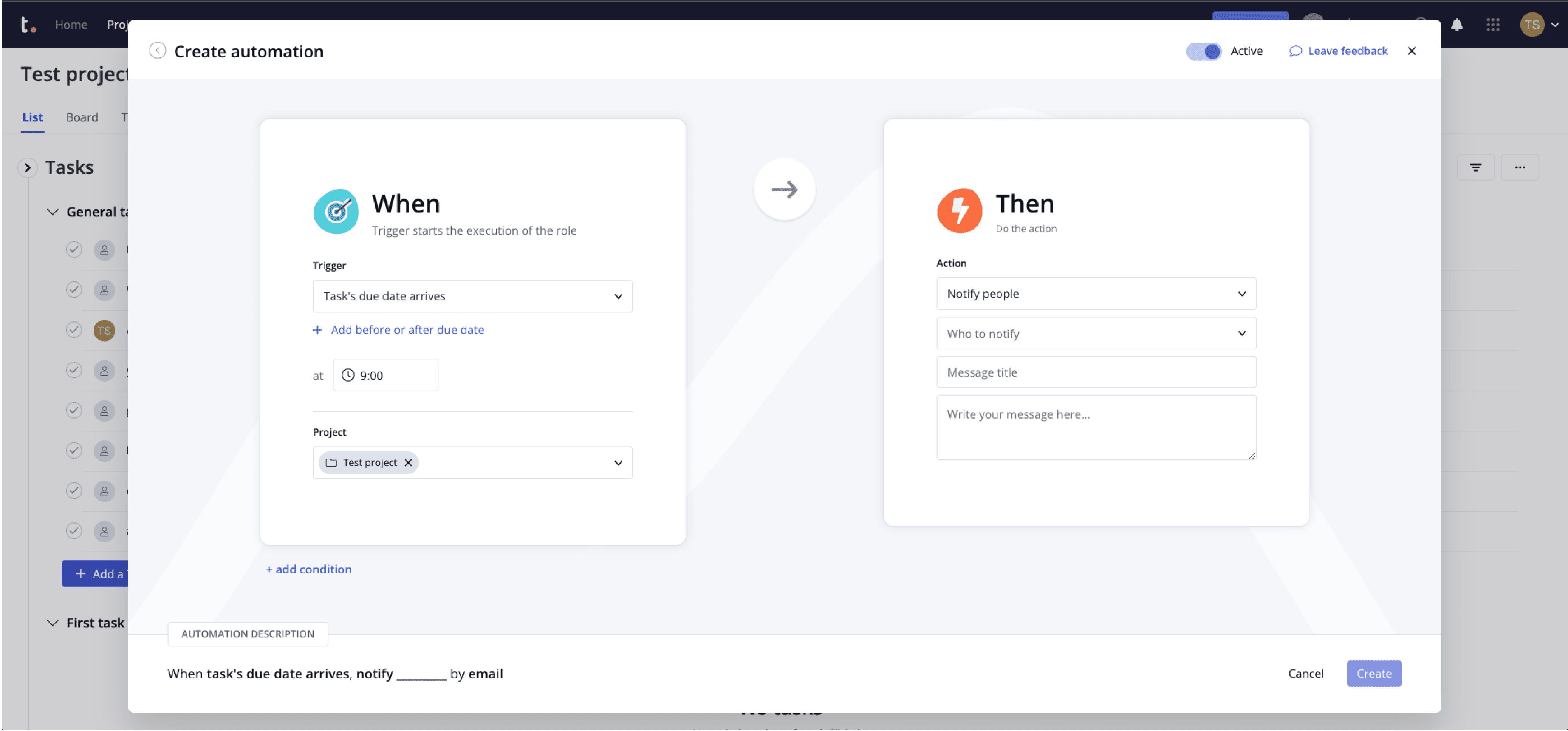
Split block approach: With split block When (Trigger) and Then (Action) are placed one under the other or side by side.
Hypothesis: Splitting two triggers and actions and using standard dropdown makes automation process more clear
User testing revealed a strong user preference (90%) for the split-block editor, despite initial concerns about its technical feel.
Check the video to see the whole flow the user will go through to create an automation from a template or from scratch.
First we tested two major concepts: inline (or sentence like approach) and split screen with clear When and Then fields. Split screen emerged as a winner.
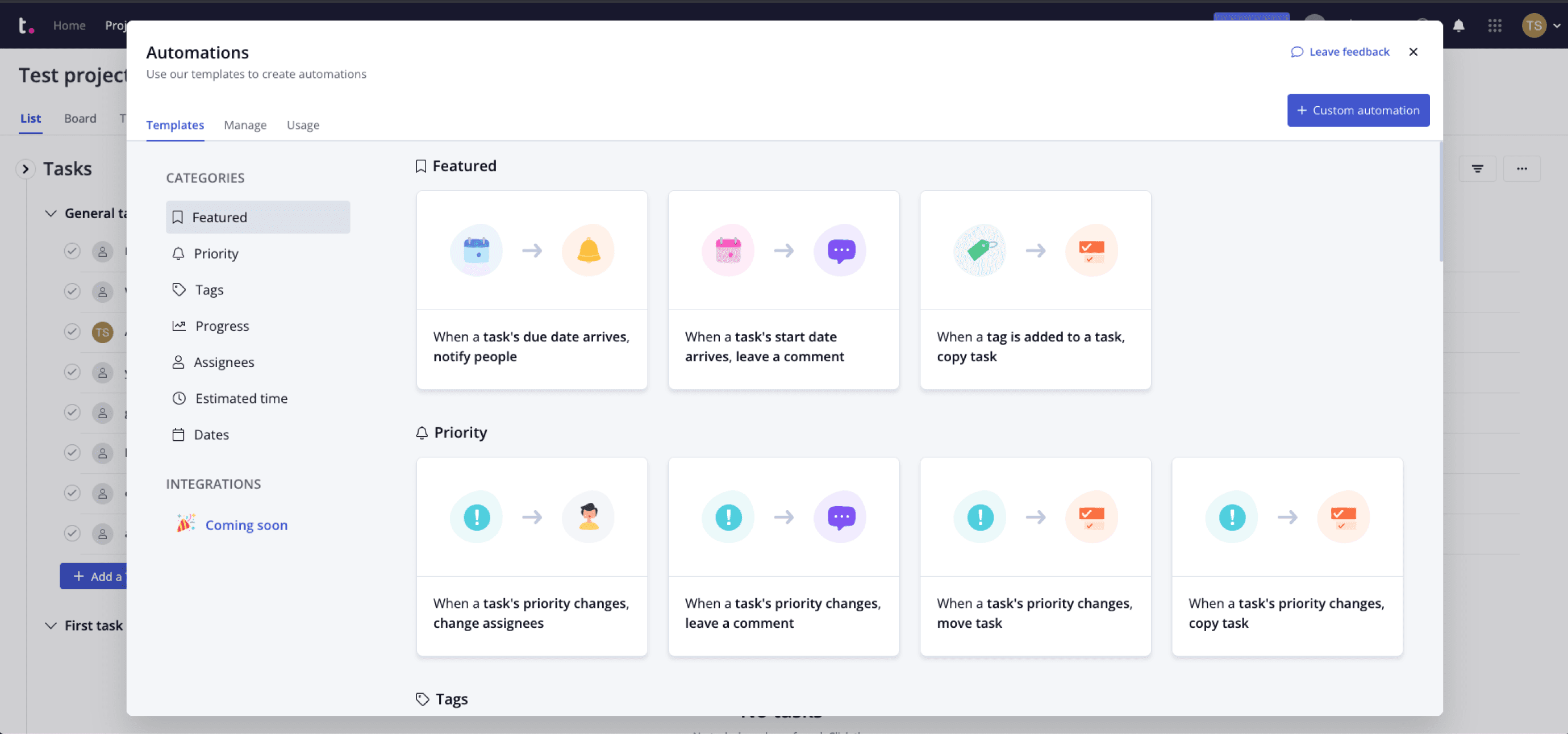
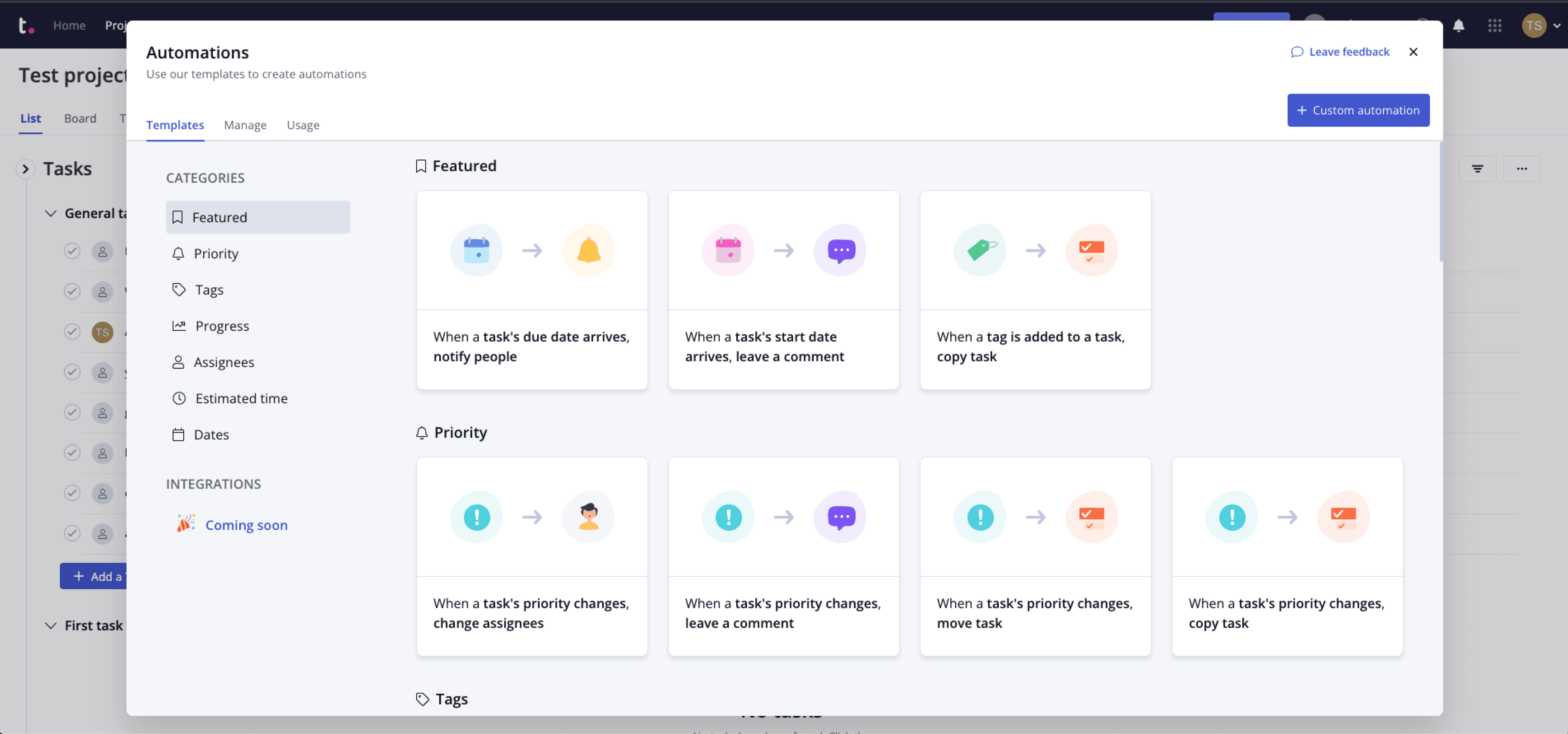
User could choose among default automation templates that we built based on known data
They could also set up automation manually using triggers and actions that cover almost all actions on the platform.
Details
Process
First we defined what tasks are most repeated across Teamwork, and came up with an MVP selection of Actions and Triggers. We also decided on preliminary success criteria that would guide us through the project.
Competition analysis helped us understand most known approaches to automations and identify two approaches that looked most promising.
Of course, testing was a great way to define the best UI that would work for all types of people: tech savvies and non-technical people.
Please inquire more information about this project and my experience at Teamwork.