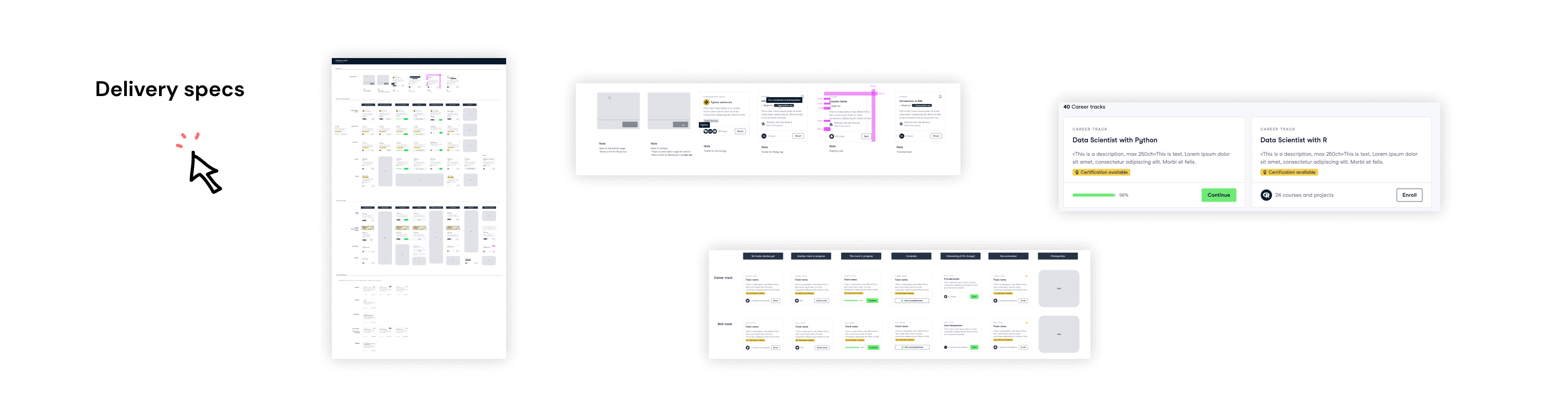
Do you remember browsing through tens of courses and being lost in opportunities? Clarity of learning catalog and its ability to help learners choose the right thing directly reflected on enrollment rates. See how we redesigned the catalog with 7 types of ed-content.
Context
Do you remember browsing through tens of courses and being lost in opportunities? Content presentation and indexing is in the core of a successful e-learning platform.
Datacamp has a vast variety of educational and interactive content on data science which are organized in ALPA loop: Assess > Learn > Practice > Apply. From individual courses and complete career tracks, to short practice sessions and portfolio projects – more than a thousand learning opportunities in different formats are open to Datacamp learners.
Before landing in a Data Science course users need to pick one in “Catalogs”, a typical card-like collection of courses, projects, tracks and alike. Catalogs done right is fundamental for a platform like Datacamp since adoption, to a large extent, depends on choosing the right course in terms of topic and level.
Goals
We had a big challenge on our plate: make all 9 catalog pages work for content discovery.
Contribution
I led this initiative from design and requirements points of view taking care of the unification of cards and a balanced approach to quick and deep context. This project was quite UI heavy since all 9 different content types had to be unified under the same style, interaction patterns, and the level of detail; alongside balancing unification with making different types of content tand out.
Outcomes
Increased catalog to enrolment rate, especially for courses and career pathways
Trigger/Problem
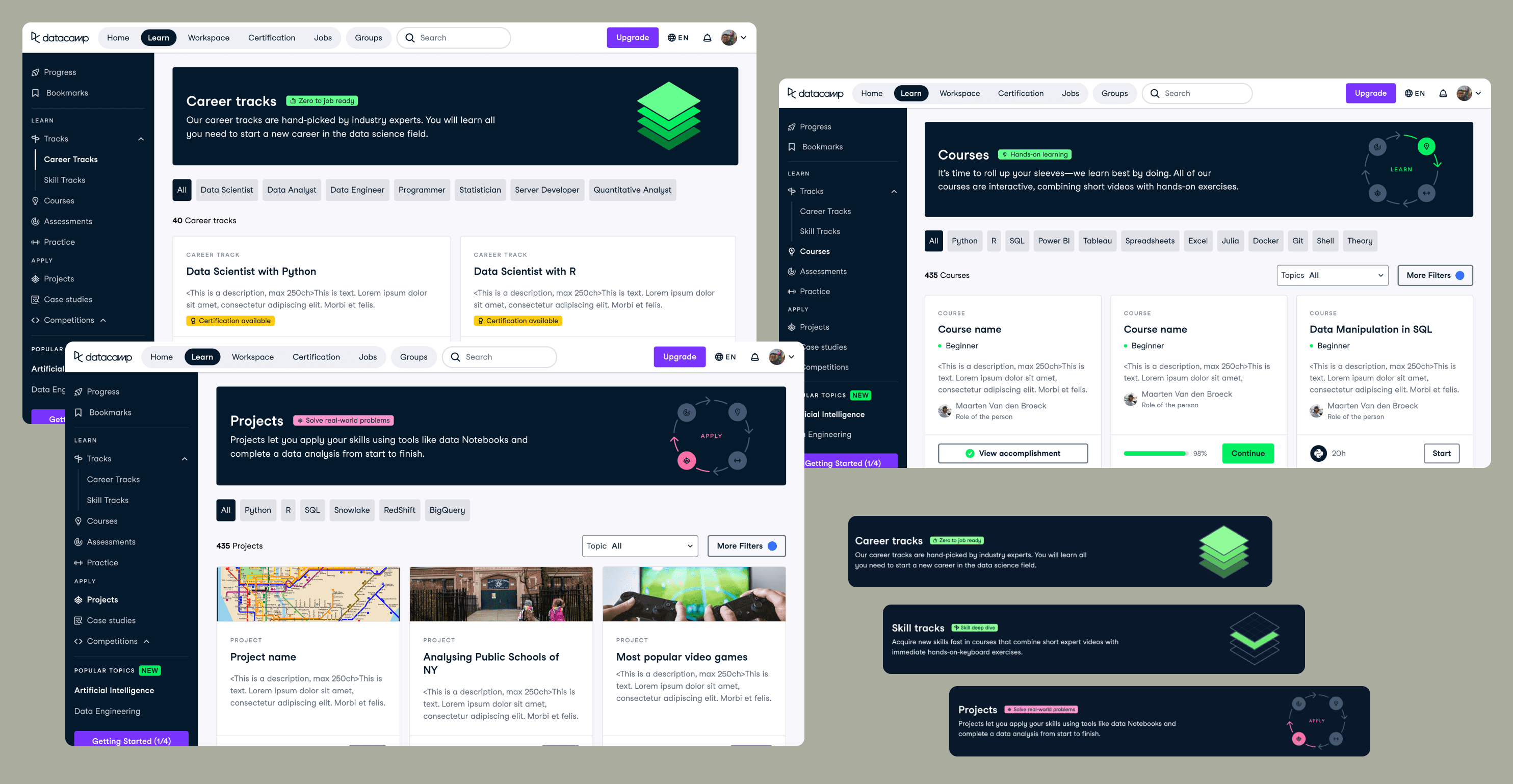
Poor catalog to enrolment rate was our starting point coupled with excessive catalog to content description back to catalog pathways. What did this pathway tell us about? People didn't find enough details in the cards enough to know whether a course is right for them and had to explore full description pages.
When we started the project, we were aware that there is a lot of room for improvement since these pages didn’t quite match modern standards, there were a lot of inconsistencies between content cards of different types, limited details on cards made people go back and forth between catalog and description pages and so on. Most importantly it potentially had an effect on enrolment rates.
Our starting point quite obviously called for improvements. Here are some UX and consistency issues that were spotted:
⚡︎ Every catalog (page) had a different style of card which increased cognitive load
⚡︎ Some pages had banners and some didn't
⚡︎ Banners were taking up almost half of the page. Information on the cards was not sufficient, e.g. there was no level indicator on course cards and that alone can be a decisive factor
⚡︎ Filters were either not surfaced or had outdated UI. Below you can see examples of just 3 pages out of 9.
This is where we started: redesign was long due

Solution
After UX audit I formulated several UX goals including consistency, clear progress states and information hierarchy on cards. The work started with gathering all metadata of different content, applicable progress states, visuals, categorization in terms of number of technologies and instructors (multi/single); as well as analysis of interaction requirements.
This project aimed to tackle all aspects of catalogs:
Banners / Allocate on the page
Cards / Understand what content is about in a glance
Filters / Ease of finding the right opportunity
After a series of concept prototypes and reviews unified model was proposed.
Solution
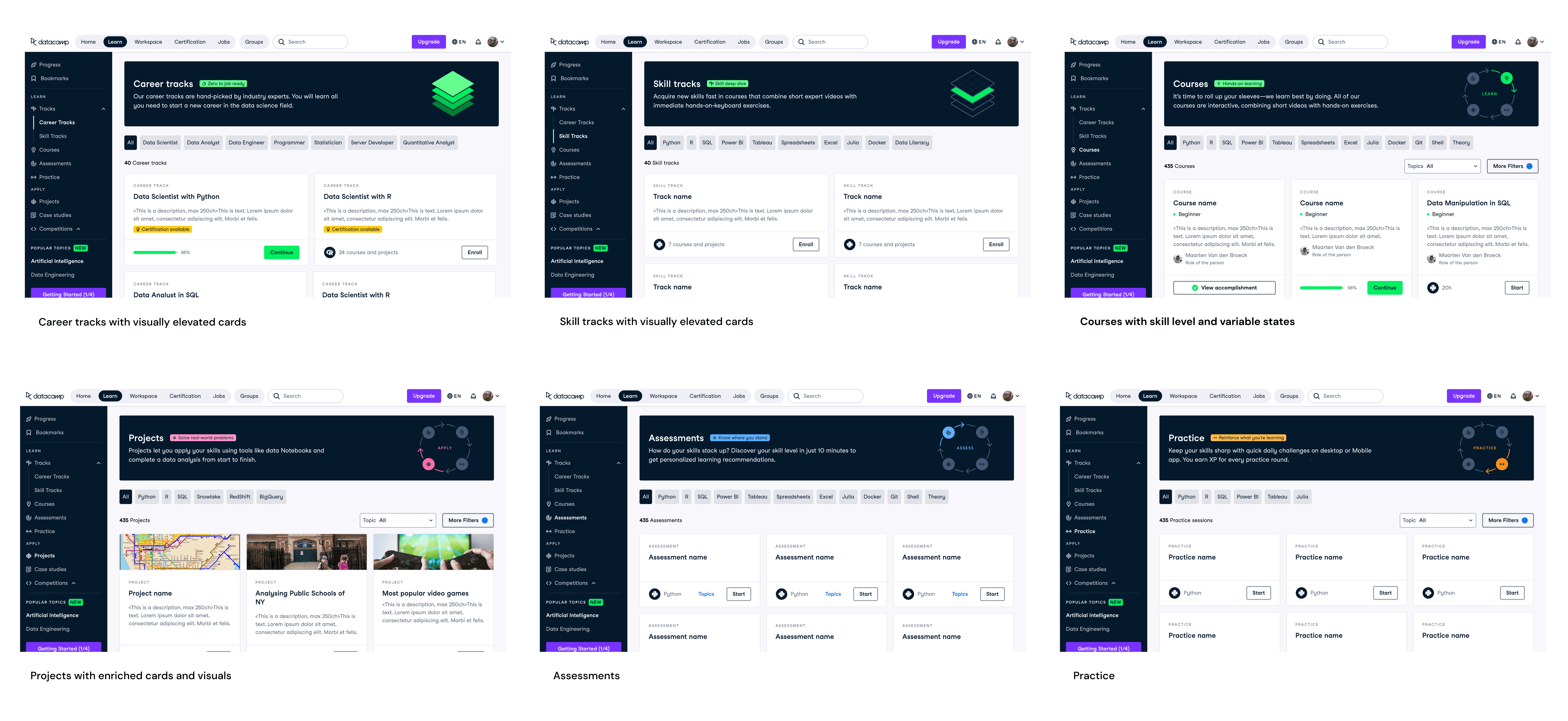
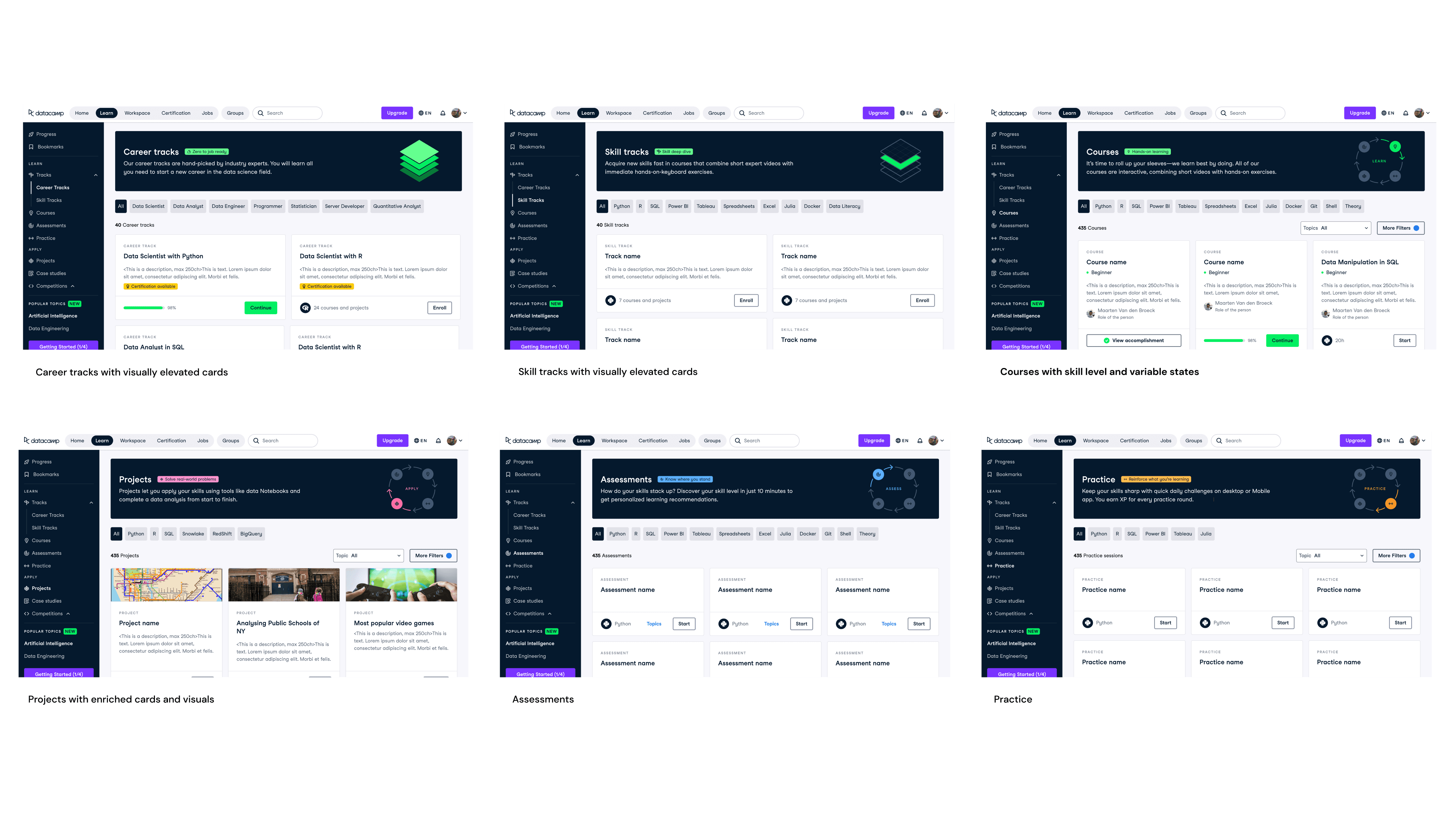
Redesign included 9 catalog pages that featured – new comprehensive banners with improved copy and a concise tagline, such as Zero to job ready for Career track
New filters for content with 2 levels: primary filter is technology or career type in case of career tracks and secondary filters for topics, prerequisites met and item status
New cards with unified layout that slightly varied depending on type of content: for example, Career and Skill tracks were placed in a 2-column grid to make them visually stand out since taking a track is a big commitment, and Projects were given a visual to make it closer to the real world just like the purpose of practicing on real-world problems
To be pragmatic we broke the delivery into priority buckets based on page visits and enrolments into content types, which was decided based on data analysis.
See all the elements of the redesign including banners and catalog pages below
All pages of the redesign: Career and Skill tracks, Courses, Projects and so on
First prototype of a career track page
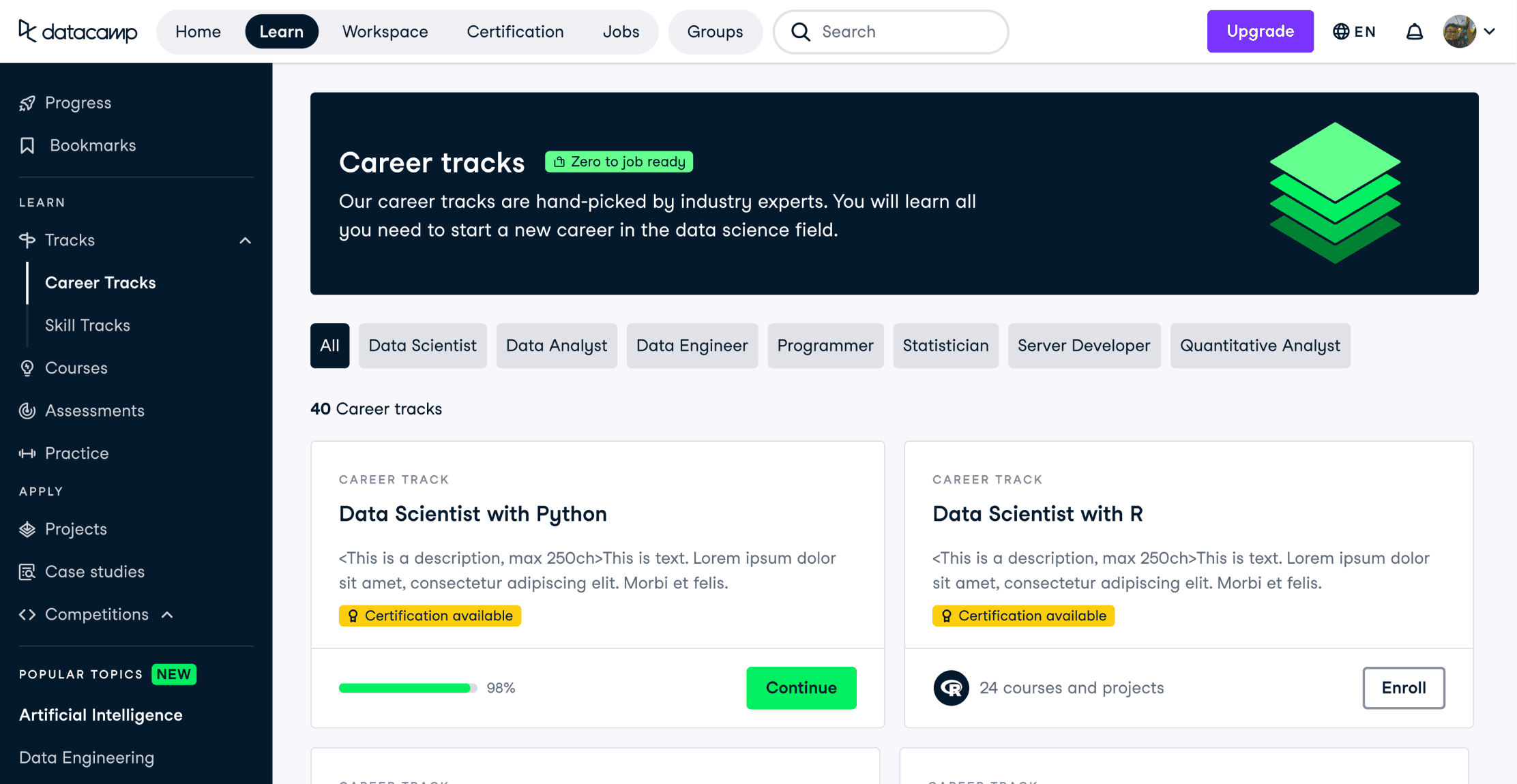
Details
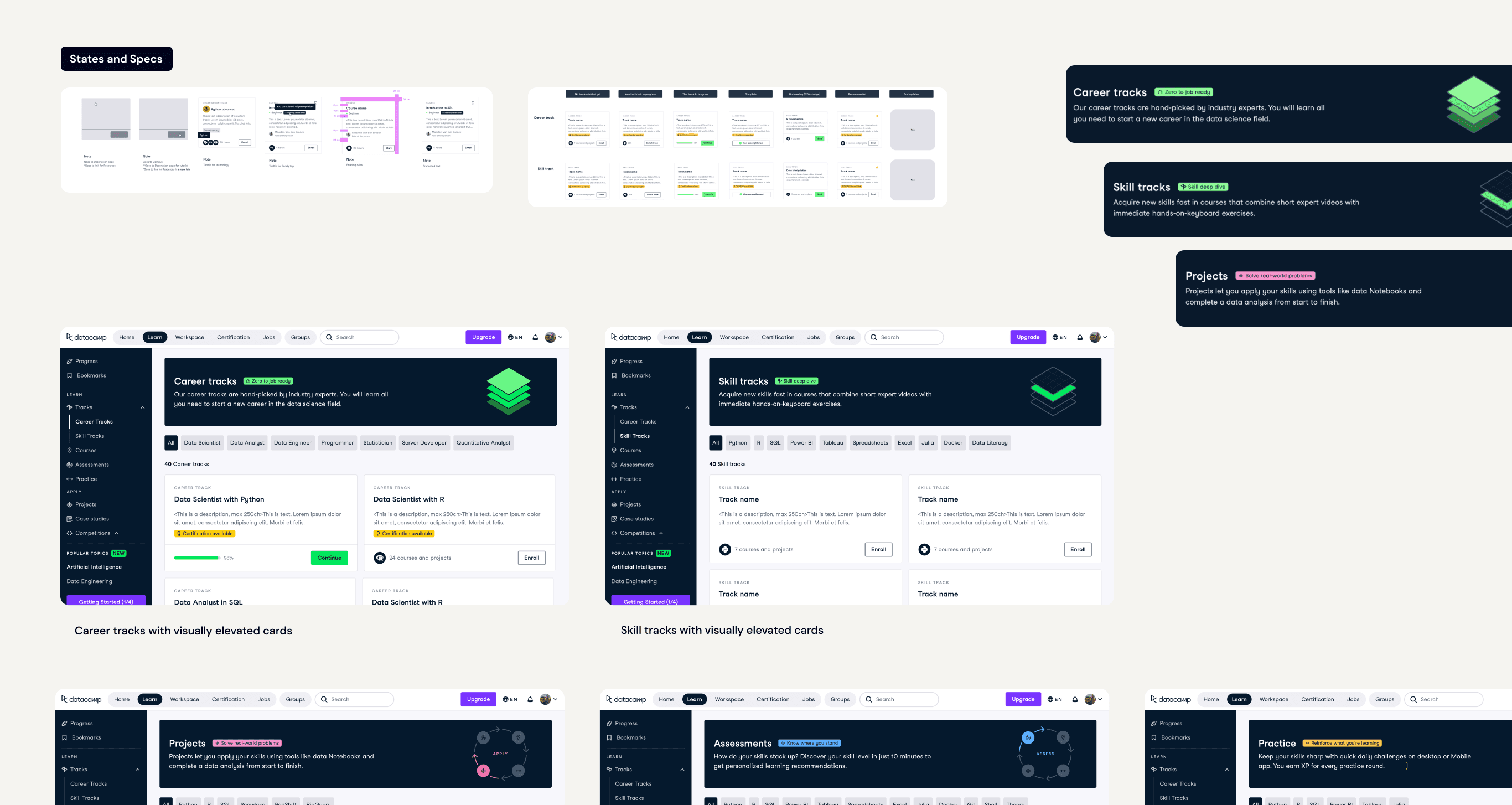
As was mentioned above, it was a very UI heavy initiative. All states, item details, interaction patterns and screen resolutions needed to be considered and communicated to the teams. This alone definitely made it challenging and interesting. All its elements were later incorporated into the design system.